A step-by-step implementation guide for organizers running certified SPINDEX competitions on STADIUM
SPINDEX turns local competition into recognized performance data.
Certified matches can contribute to official player ratings.
Every player maintains a verified competitive profile.
Leagues and tournaments run through Stadium and connect into SPINDEX.
Ratings are calculated from certified match data, so every result means something. Players know where they stand.
A player's SPINDEX rating travels with them across clubs, cities, and events. Every certified match adds to their record.
One rating system across all participating clubs means fair comparisons and consistent competition anywhere in the network.

Create a Stadium account at stadiumcompete.com and select Organizer as your account type.
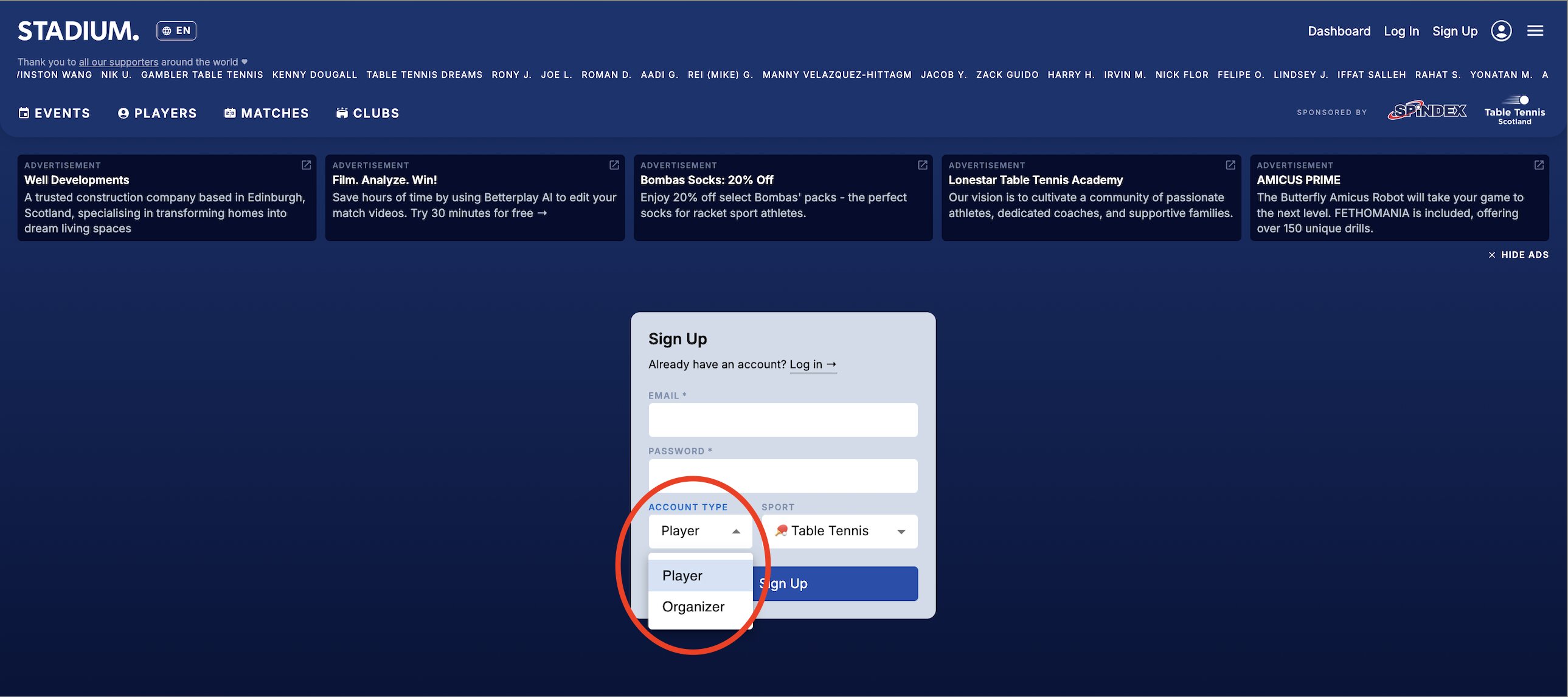
ACCOUNT TYPE → ORGANIZER
From your admin dashboard, launch a new league or tournament to host certified competition.
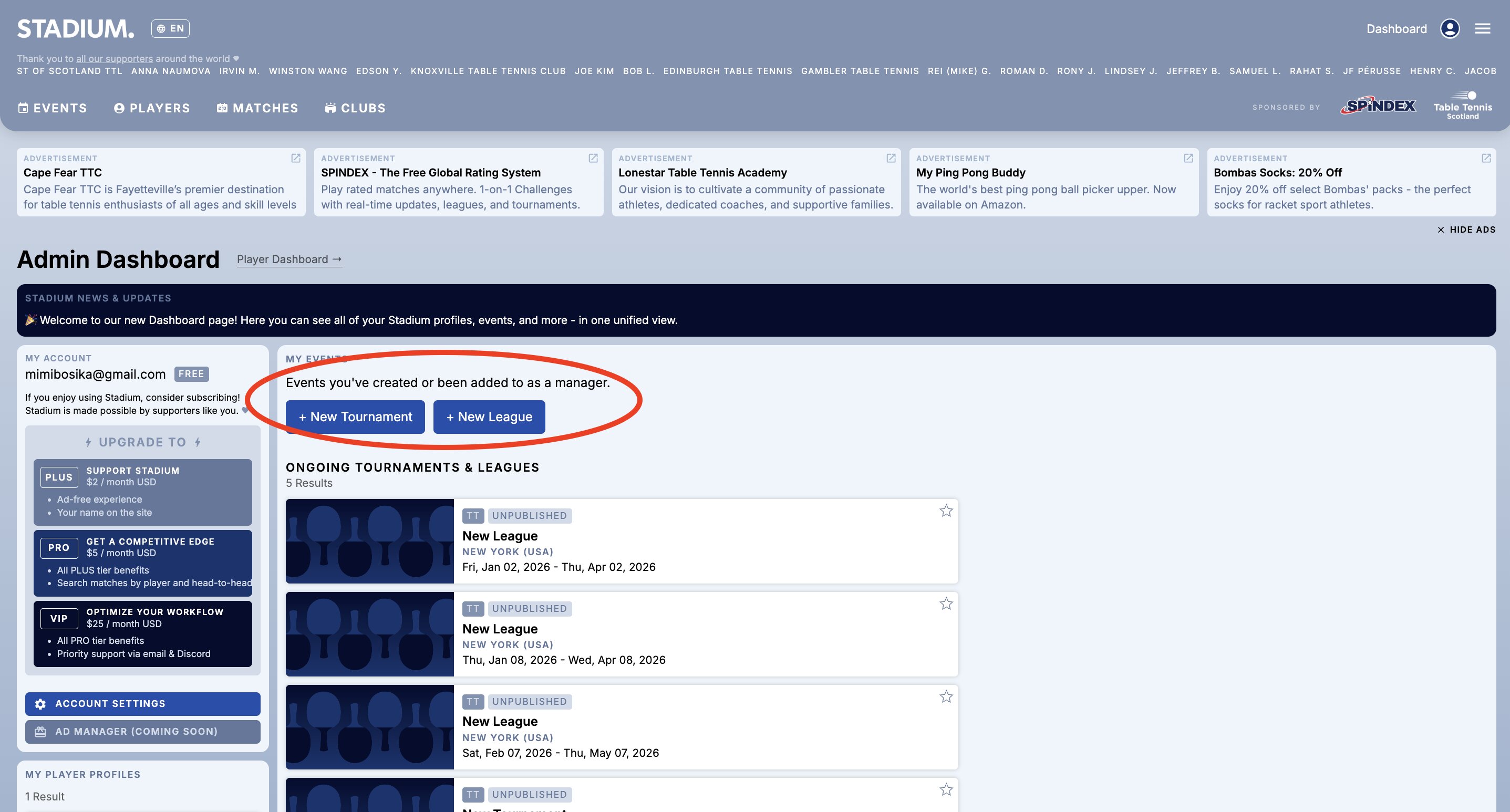
NEW LEAGUE · NEW TOURNAMENT
Create your official event inside the league structure. Each event night is added here.
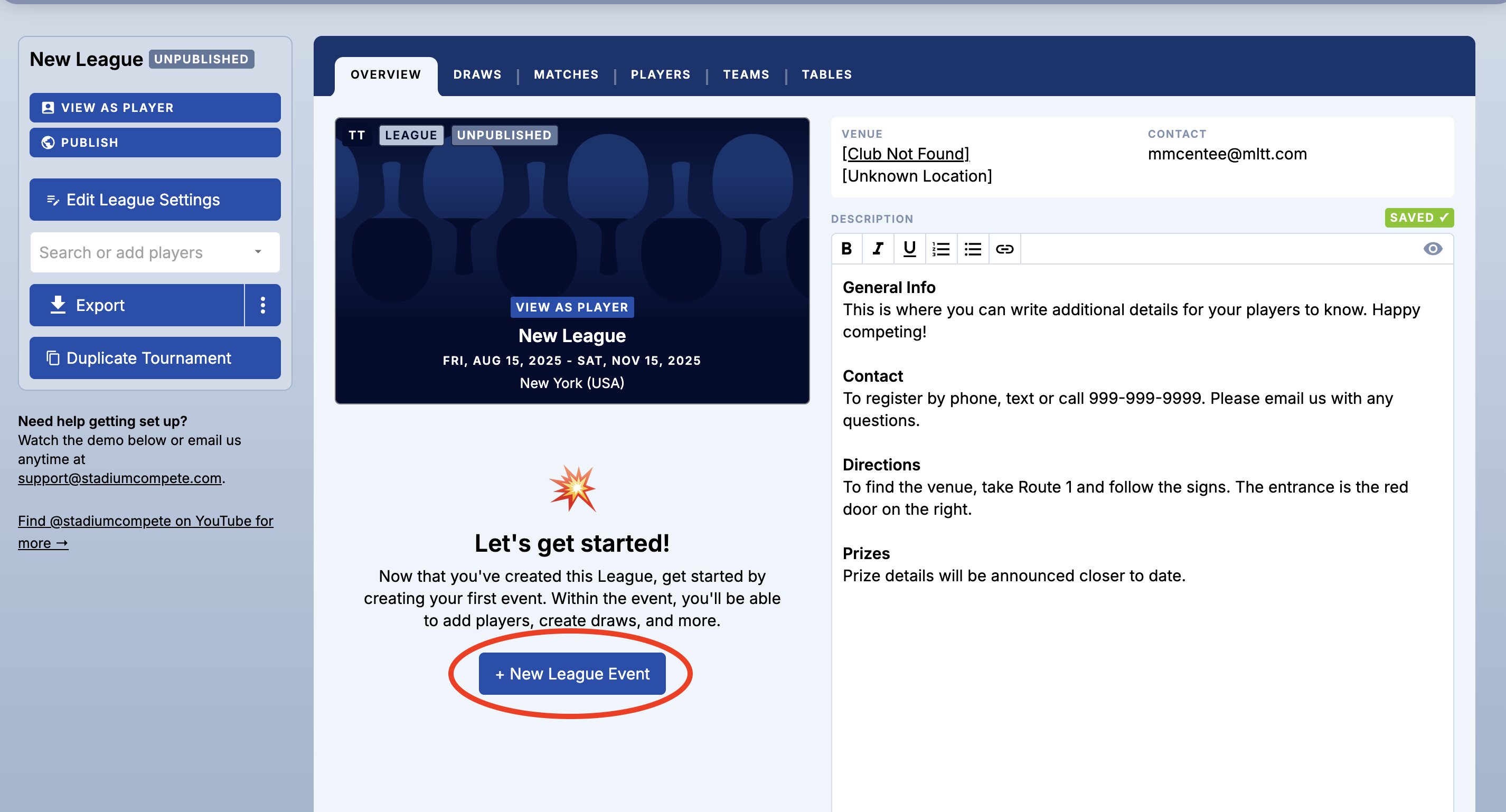
NEW LEAGUE EVENT
Define the number of points, win margin, and games per match for all certified play.
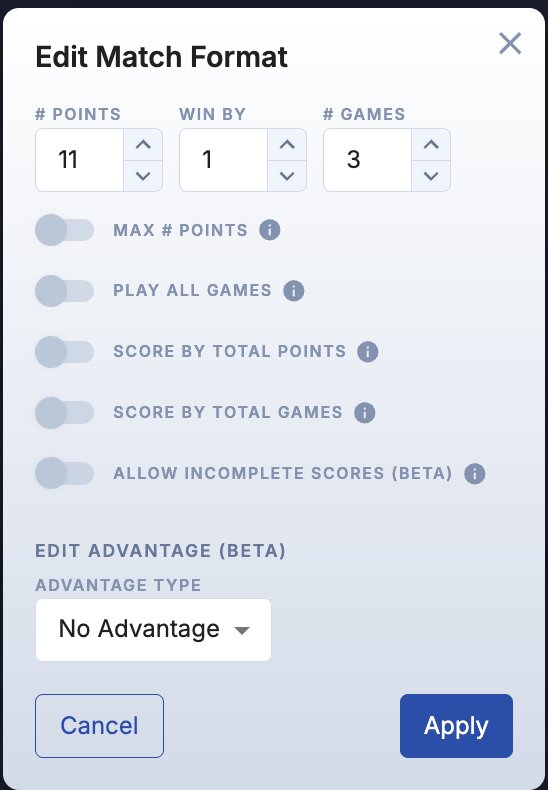
POINTS · WIN BY · GAMES
In Edit League Settings, change the System field to SPINDEX (MLTT) to activate certified rating tracking.
This enables official performance updates across every match in your event.
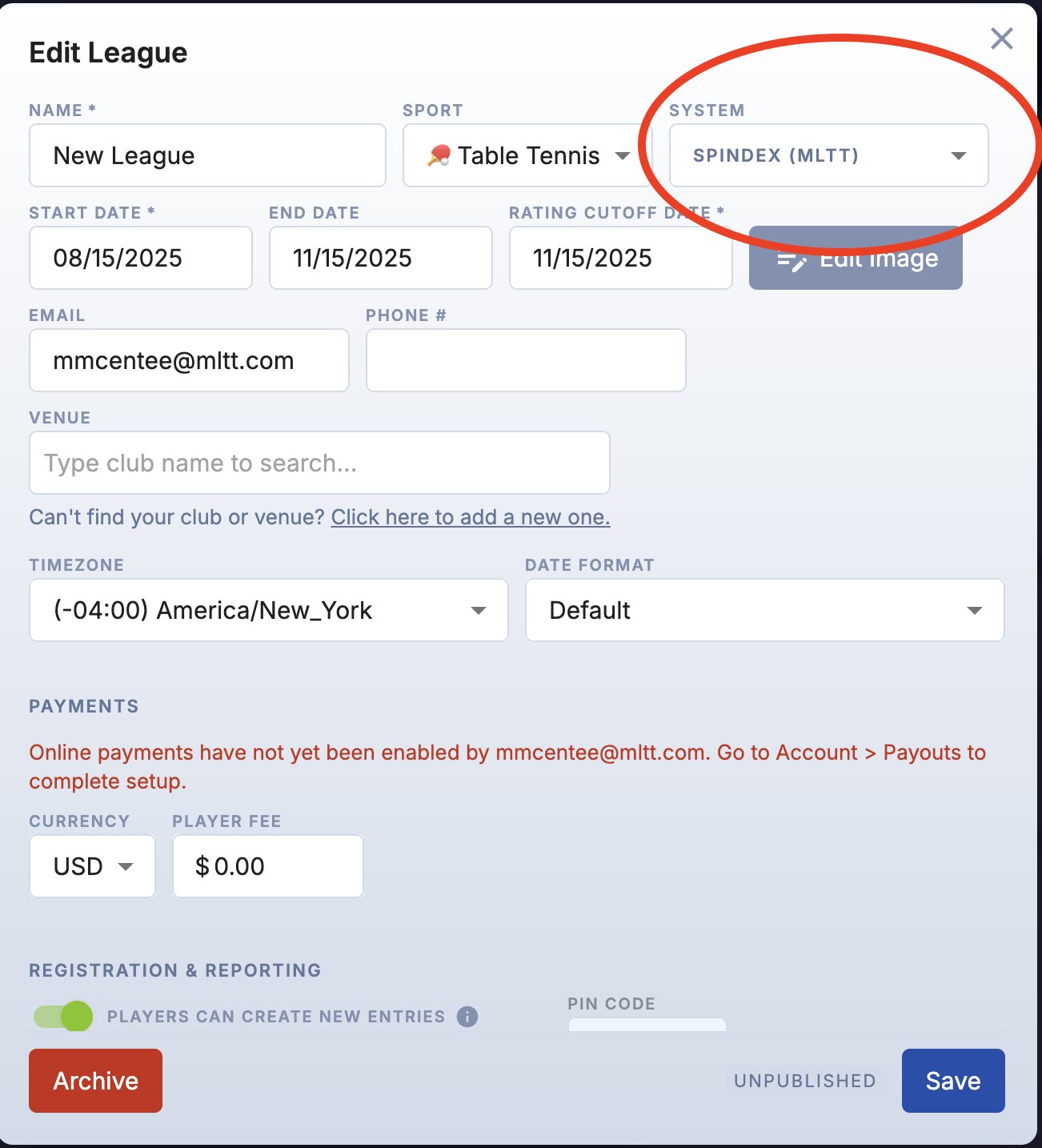
SYSTEM → SPINDEX (MLTT)
Navigate to the Players tab and use Import Players to add competitors from a CSV. Players must have active SPINDEX accounts prior to the event.
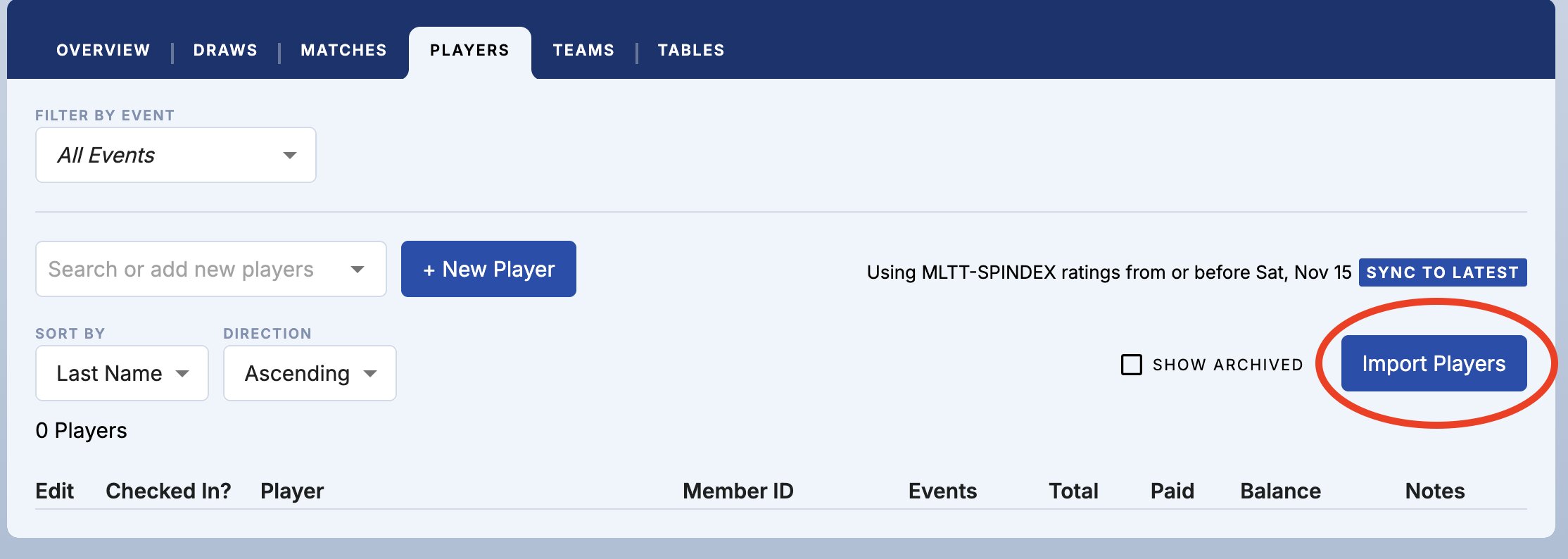
IMPORT PLAYERS
Confirm each competitor is correctly linked to their SPINDEX ID before the draw is finalized. Accurate linking protects rating integrity.
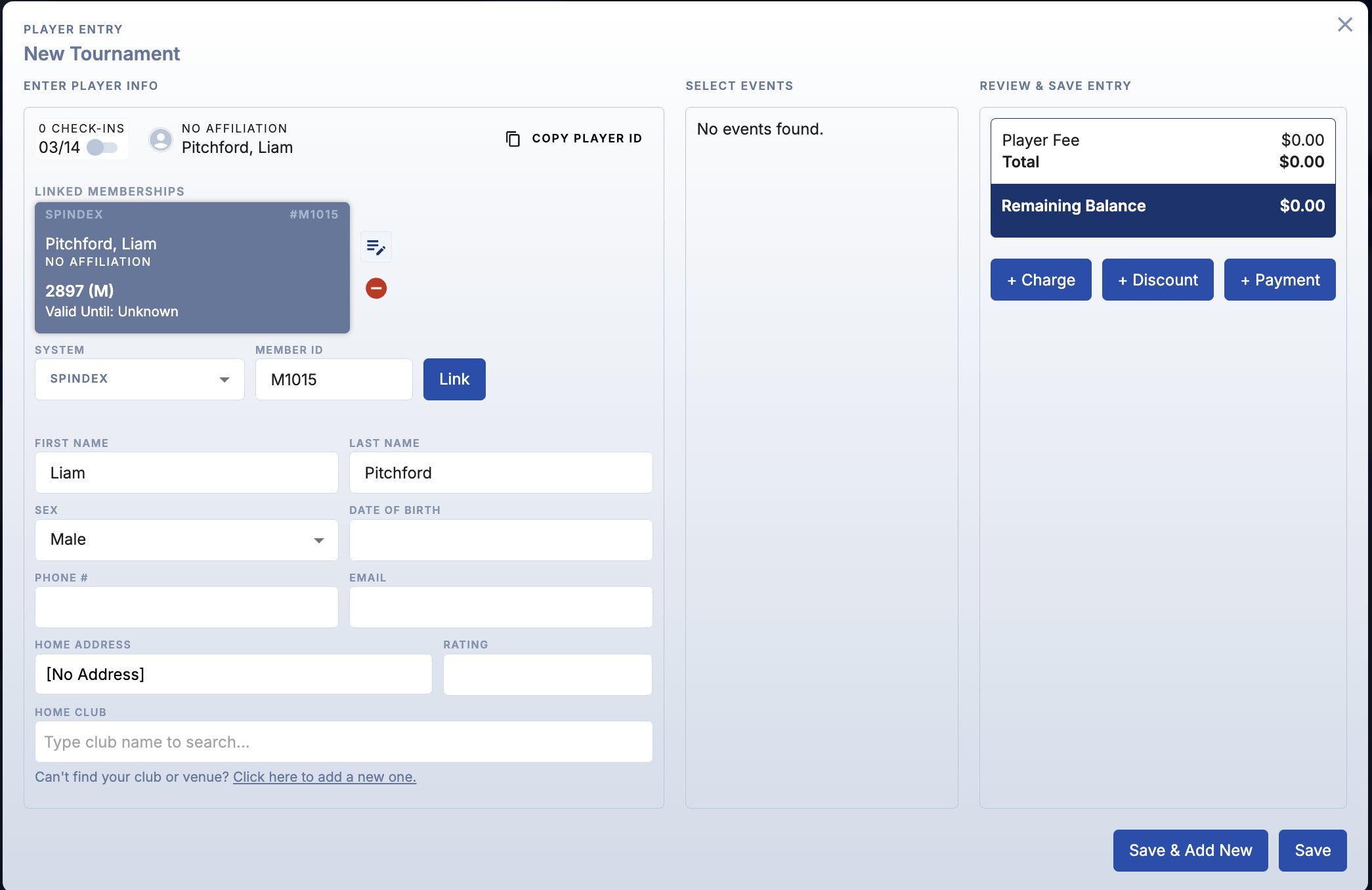
SPINDEX ID FIELD
As players arrive on event day, toggle their check-in status in the Players tab before finalizing the draw.
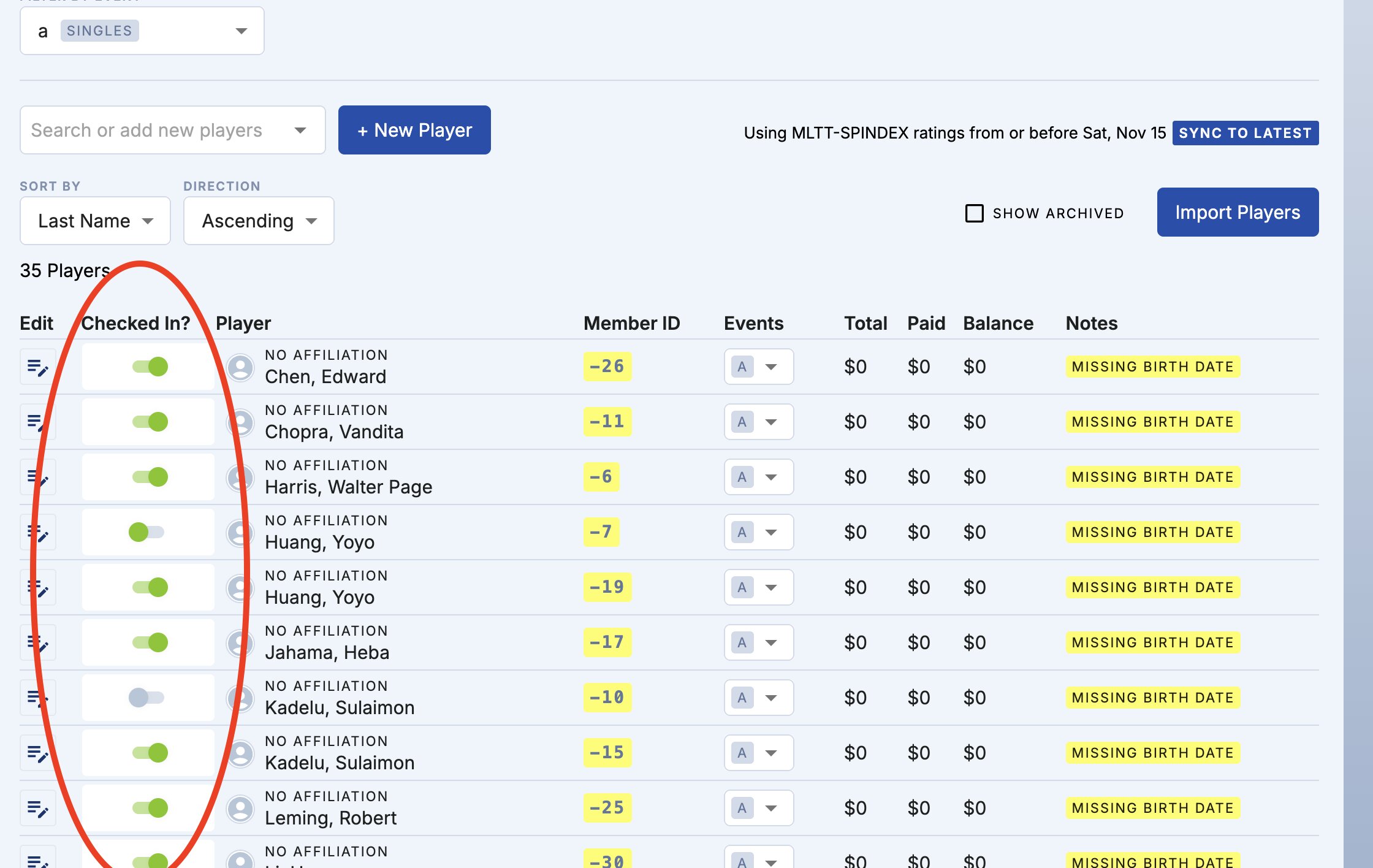
CHECKED IN TOGGLE
Once check-ins are confirmed, finalize the competition structure before play begins.
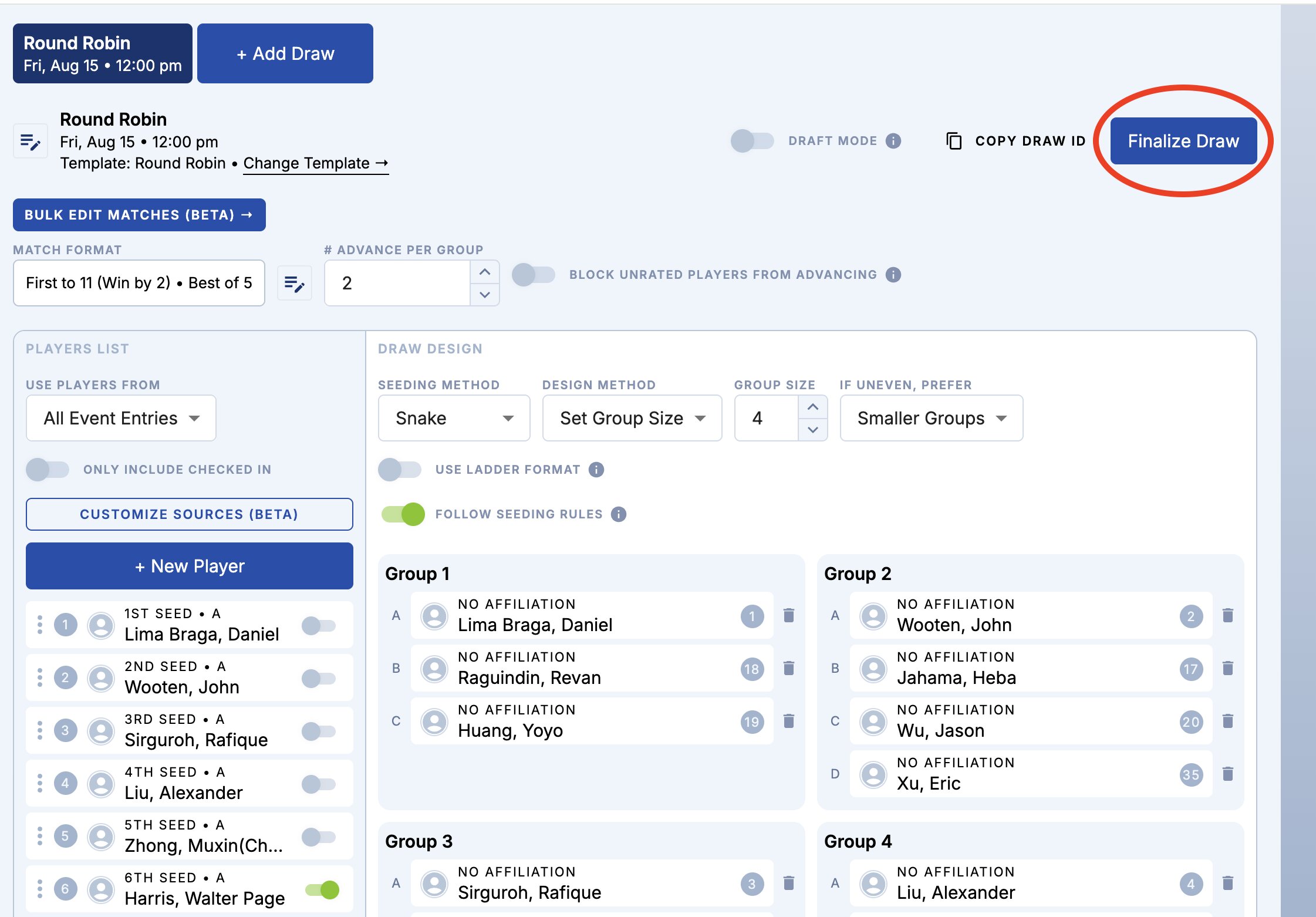
Finalize draw
Go to the Matches tab and use Edit Match to record official scores. Results remain in pending status until certified.
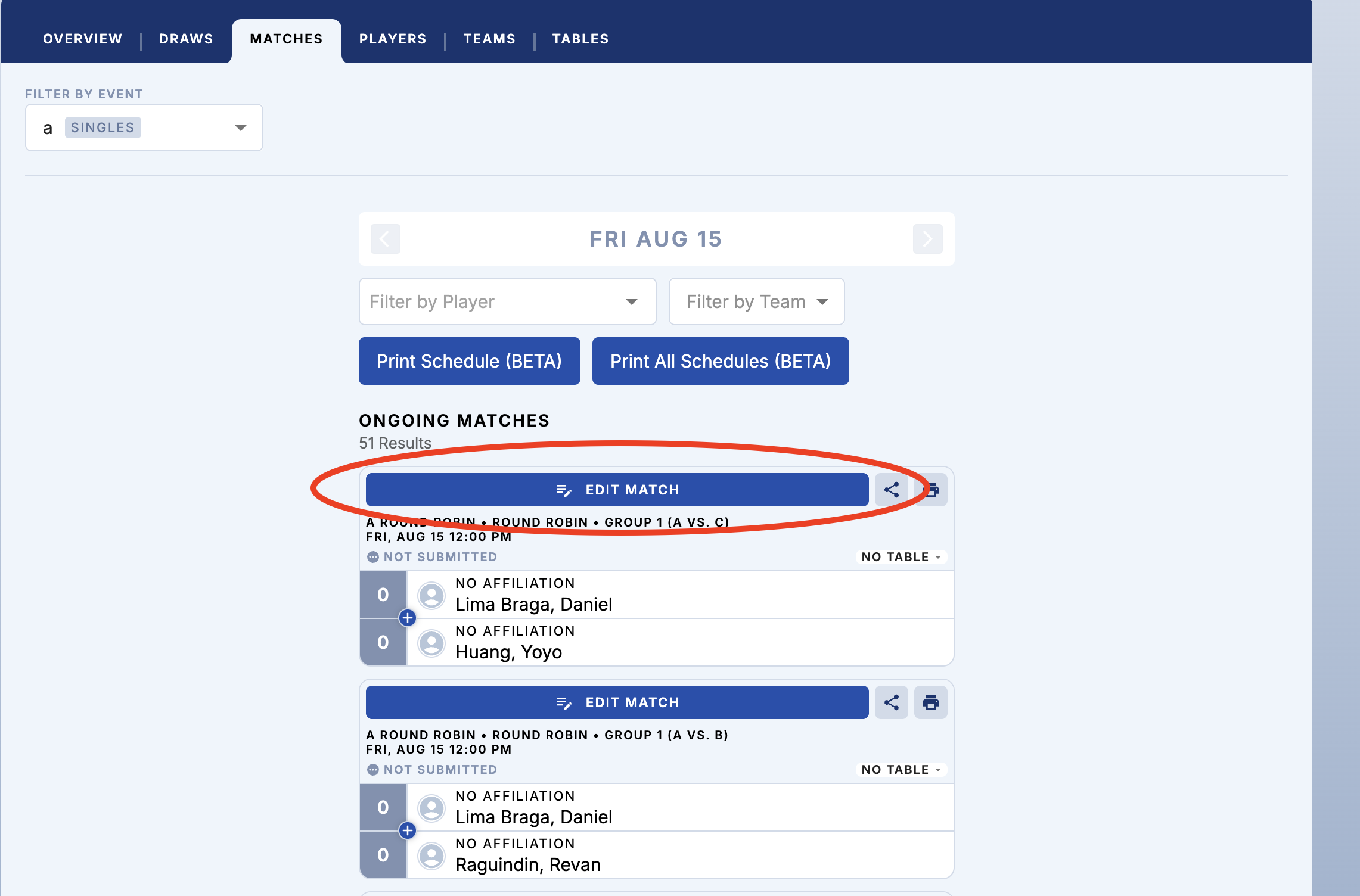
EDIT MATCH
Certification confirms accuracy and activates the official rating submission process. Certified matches cannot be modified without administrative review. Add a highlight bar beneath body copy — blue tint background, red left accent — to signal this step's importance.
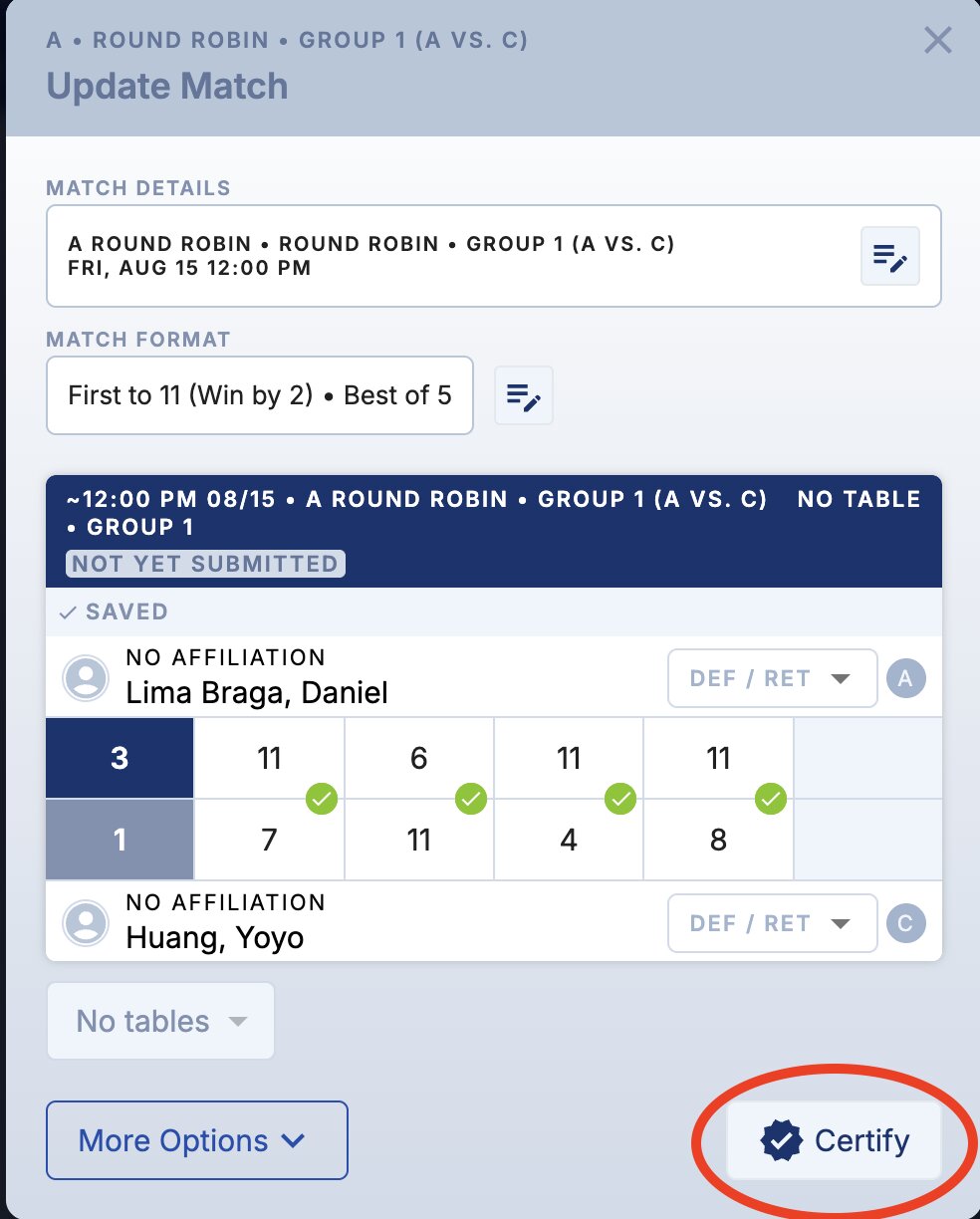
CERTIFY BUTTON
From the Matches tab, select Export Filtered Matches and choose Export Matches (SPINDEX).
Submitted results are reviewed by a SPINDEX Administrator. Verified ratings update within 2 business days.

PUBLISH RESULTS
Certified match results are reviewed by a SPINDEX Administrator.
Verified results update official player ratings within 2 business days.
As more certified matches are submitted, the SPINDEX ecosystem becomes stronger and more reliable.
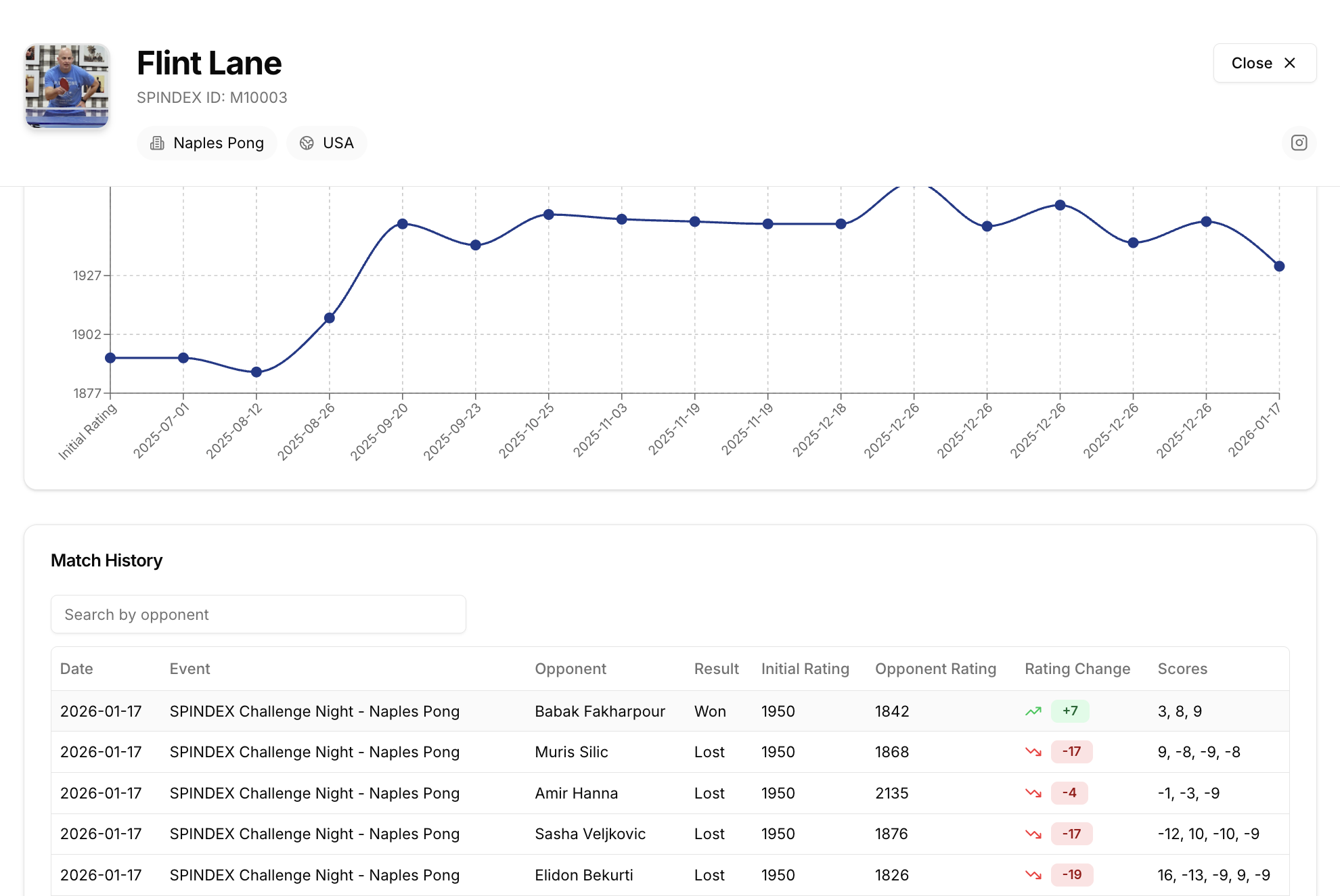
After introducing SPINDEX Challenge Nights, Princeton Pong saw a 25% increase in weekly attendance and a clear boost in player engagement. Members were motivated by tracking their progress, and seeing their names climb the leaderboard turned every match into a reason to come back.
“I can’t believe how fast SPINDEX blew up at our club. Players are constantly talking about it—and now we have a waiting list for Challenge Nights. I really think SPINDEX is the future of table tennis.”
Ben Rosenberg
Princeton Pong Club Manager

© 2026 SPINDEX. All rights reserved.
